 blog
blog
7 Digital Planner Features Working Moms Actually Need
Last Updated: October 26, 2026
Quick Summary
The best digital planner for working moms syncs a shared family calendar across your devices, works offline, and opens today's page in two taps or fewer. Choose an undated planner so a missed day never leaves a blank page, and confirm backup and export options before you buy.
- Compare planners on shared calendars, device compatibility, offline access, speed, layout flexibility, and daily-habit demands.
- Build goals in three layers: yearly outcomes, monthly milestones with dates, and weekly actions on real days.
- Run a weekly workflow: Sunday scan the monthly view, block the weekly spread, then confirm daily in two minutes.
- Give each family member a color or column so schedule conflicts are visible at a glance.
- Check where data lives, how backups work, and whether you can export before buying.
Table of Contents
- Why a Digital Planner Beats Paper for a Working Mom's Schedule
- Key Features to Compare in a Digital Planner for Work and Family
- How a Digital Planner with Goal Setting Keeps You on Track
- Digital Planner Templates for Moms: Daily, Weekly, and Monthly Layouts
- The Digital Journal for Working Moms Who Need a Creative Outlet
- Privacy, Backups, and Data Portability: What to Check Before You Buy
- Start Your Own Creative Atelier with NouvelleDigital
- Frequently Asked Questions
Why a Digital Planner Beats Paper for a Working Mom's Schedule
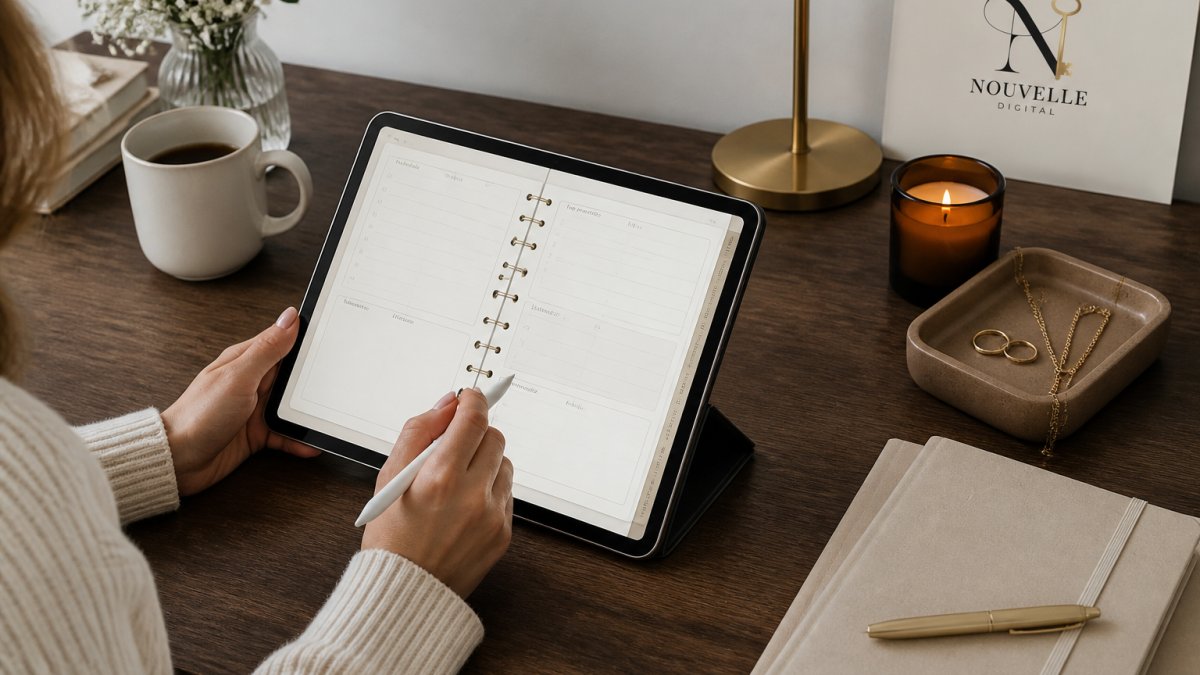
A digital planner is a scheduling and journaling system stored on a tablet or phone, and for a working mom it solves the one problem paper never can: a schedule that changes while you're holding it.
That flexibility matters more than most planner roundups admit. The American Psychological Association's stress survey data has consistently found that time pressure ranks among the top sources of daily stress for adults, and moms carry a double load of work deadlines and household logistics.
Here's what we'll cover: the features worth comparing, how layouts differ, and what to check on privacy and backups before you commit.
Key Features to Compare in a Digital Planner for Work and Family
Compare any two planners on six things: how it handles a shared family calendar, which devices and apps it runs on, whether it works offline, how fast it opens, how flexible the layout is, and whether it forces a daily habit. Get those right and the rest is decoration. Get them wrong and you'll abandon the planner within a month, no matter how pretty the cover.
Shared Calendars and Real-Time Updates
A shared calendar is a planner view that syncs with other people's schedules so everyone sees the same appointments. For a working mom, this is the feature that separates a planner from a diary.
Look for planners that pull in outside calendar feeds rather than trapping your events in one app. The Google Calendar help documentation on sharing and permissions explains how shared access works at the account level, which is the mechanism most planners rely on.
Device Compatibility, Apps, and Offline Access
Check the app list before the page count. Most digital planners run inside a note-taking app, so compatibility with your tablet matters more than the planner file itself. On an iPad, confirm the planner opens cleanly in your note app of choice and that any hyperlinked tabs respond to a tap.
Three compatibility questions decide most purchases:
- Which operating systems are supported? A planner built for one tablet platform may not open the same way on a phone or a different brand of tablet.
- Does it work offline? School pickup lines and commutes are dead zones. A planner that requires a connection to load is a planner you can't use when you actually have five minutes.
- How does syncing behave across devices? Confirm whether edits made on your phone appear on your tablet, and whether a conflict produces a duplicate page or a merged one.
Watch out: a planner packed with hundreds of linked pages can feel sluggish on older devices. A lag-free file with fewer, better-organized pages beats a bloated one you dread opening.
Speed, Layout Flexibility, and the Daily-Habit Trap
Open the planner and count the taps to today's page. If it takes more than two, you'll stop opening it. Layout flexibility matters next: a planner that lets you duplicate, reorder, or delete pages adapts as your season changes, while a fixed file forces you to work around its structure.
The last criterion is whether the planner demands a daily entry. Dated planners punish a missed day with a blank page that stares back at you. Undated planners don't.
Six criteria decide whether a digital planner survives a working mom's year, so compare any two options on these points first.
| Feature to compare | What to check | Why it matters |
|---|---|---|
| Shared family calendar | Syncs with other people's schedules; pulls in outside calendar feeds | Everyone sees the same appointments |
| Device compatibility | Which operating systems are supported; readable on a small screen | A planner built for one platform may not open the same way elsewhere |
| Offline access | Whether it loads without a connection | Commutes and pickup lines are dead zones |
| Speed | Count the taps to today's page; more than two means you stop opening it | A lag-free file beats a bloated one |
| Layout flexibility | Duplicate, reorder, or delete pages | A fixed file forces you to work around its structure |
| Daily-habit demand | Dated planners punish a missed day; undated planners don't | Often the reason one planner survives the year |
How a Digital Planner with Goal Setting Keeps You on Track
A digital planner with goal setting ties your yearly intentions to the pages you actually open on a Tuesday. That link is the whole point.
The fix is a simple three-layer structure we recommend to anyone building a goal-driven planner:
- Yearly layer: three to five outcomes, written as sentences, not wishes.
- Monthly layer: one milestone per outcome, with a date attached.
- Weekly layer: one action per milestone, slotted into a real day.
That structure turns a vague ambition into a task you can check off. If you want a deeper walkthrough of picking a goal-focused planner, our guide to the best digital planner for goal setting breaks down the comparison criteria.
Digital Planner Templates for Moms: Daily, Weekly, and Monthly Layouts
Planner templates for moms come in three useful shapes: daily, weekly, and monthly. Each answers a different question. Daily asks "what happens today," weekly asks "how does this week hold together," and monthly asks "what's coming that I haven't prepared for."

Most moms need all three, but in different proportions. A parent with a rigid meeting schedule leans on the daily view. Someone managing a household budget and a rotating chore list lives in the weekly.
The Work-Family Workflow: One System, Five Inputs
Most planner roundups treat work scheduling and family logistics as separate problems. They aren't. A working mom is running five input streams at once: work meetings, school and childcare schedules, caregiving responsibilities, errands, and household tasks.
A practical weekly workflow looks like this:
- Sunday, ten minutes: open the monthly view and scan for anything with a deadline that week, bills, school forms, appointments, work deliverables.
- Then the weekly spread: block work meetings first, then school drop-off and pickup, then caregiving windows. The gaps that remain are your errand and household slots.
- Daily, two minutes: open the daily page and confirm the blocks still hold. If a meeting moved, drag it and re-check the pickup window.
That sequence is the whole system. The monthly view catches what's coming, the weekly view resolves conflicts, and the daily view absorbs the surprises.
Daily and Hourly Planning for Appointments and Meetings
Hourly planning earns its keep on days with back-to-back commitments. Block the school run, the standup, the dentist, and the pickup, and the gaps become visible. Those gaps are where errands and notes go.
One caution from the planner community: a daily layout with more sections than you'll fill becomes a chore. A Reddit discussion among digital planner users includes a new user who found their planner had far more pages than they wanted and disliked hunting through an index to find anything.
Weekly and Monthly Views for Household Management
The weekly view is where household management actually happens. Map the family schedule, the meal plan, the cleaning rotation, and the errands onto one spread, and conflicts surface before they become arguments.
A useful habit: give each family member a color or a column on the weekly spread. When your partner's late meeting and your child's soccer practice land in the same hour, the conflict is visible at a glance instead of discovered at 4 p.m.
If you're testing whether digital planning suits your work life, our guide on how to use digital planning for work covers the professional side in more detail.
The Digital Journal for Working Moms Who Need a Creative Outlet
A digital journal for working moms is a private, undated space to write, sketch, or think without a productivity target attached. That distinction matters.
This is where undated creative ateliers change the experience. Because there are no dates printed on the pages, you start whenever you choose and there's no requirement to write every day.
If anxiety is part of why you're drawn to journaling, our beginner's guide to how to start journaling for anxiety walks through a low-pressure approach.
Privacy, Backups, and Data Portability: What to Check Before You Buy
Ask three questions before you buy: where does my data live, how do I back it up, and can I export it? A planner holds your appointments, your kids' school details, and your private writing. Treat it like the sensitive document it is.
- Local vs. cloud storage: Know whether your planner file sits on your device or syncs to a server.
- Backup routine: Confirm how your note app backs up, and test a restore once.
- Export options: Check that you can export to a standard format so you're never locked in.
The Federal Trade Commission's guidance on protecting personal information is a useful plain-language reference for what to expect from any app holding personal data.
Start Your Own Creative Atelier with NouvelleDigital
The hardest part of planning isn't finding a system. It's finding one that doesn't punish you for being human.
NouvelleDigital builds undated digital journals and planners for exactly that reality. If you're comparing daily, weekly, and monthly layouts, you can browse aesthetic digital planner templates for iPad and see how each one fits.
Get started with NouvelleDigital and build a planning space that adapts to your week instead of the other way around.
Frequently Asked Questions
What is the best digital planner for working moms?
The best digital planner for working moms depends on your workflow. Look for one that combines daily, weekly, and monthly layouts with task lists, goal tracking, and shared calendar access. A planner like NouvelleDigital's creative ateliers offers undated pages so you can start anytime and skip days without guilt. Check device compatibility with your iPad or tablet, and confirm you can export or back up your data. Prioritize ease of use over feature count, since a simpler planner is more likely to stick.
Can a digital planner help balance work and family schedules?
Yes, a digital planner for work and family can reduce mental load by keeping appointments, school events, and deadlines in one place. Use color-coded sections for work and home, and set up shared calendars so your partner or caregiver sees updates in real time. A weekly layout helps you spot conflicts before they happen. Many working moms also use task lists to batch errands and household chores, which frees up time during the workday.
Can you use a digital planner without writing in it every day?
Absolutely. Undated digital planners, like those from NouvelleDigital, let you start whenever you choose and skip days without wasted pages. There is no requirement to write daily. You can open the planner only on busy weeks or use it seasonally for goal setting. This flexibility makes it easier to build a habit that fits your life, rather than forcing a daily routine that adds stress.
How can working moms use a digital planner to set goals?
Use a digital planner with goal setting to break big objectives into quarterly, monthly, and weekly targets. Start with a goal-tracking page to define what success looks like, then add action items to your weekly layout. Review progress during a short weekly check-in. Many planners include reflection prompts that help you adjust without judgment. Pair goal tracking with a digital journal for working moms to capture wins and challenges, which keeps motivation steady over time.