 blog
blog
Buy Aesthetic Digital Planner Templates for iPad
Last Updated: October 23, 2026
Quick Summary
You can buy aesthetic digital planner templates as hyperlinked PDFs built for iPad and GoodNotes, and choosing undated pages lets you start any day with no daily writing requirement. At NouvelleDigital, our creative ateliers are designed to be rearranged around your life.
- An undated digital planner has no pre-printed months or weeks, so you start on whatever day you open it.
- Before buying, confirm the template is a hyperlinked PDF sized for your tablet screen.
- Keep separate files for work planning and personal journaling so each stays focused.
- Personalize by adding a cover you love and a this-week dashboard with your most-checked sections.
- Get to a workable setup in one sitting instead of perfecting it before you use it.
Table of Contents
- Why Aesthetic Digital Planner Templates Beat Paper
- What to Look For When You Buy Aesthetic Digital Planner Templates
- Digital Planner Templates for iPad: What Actually Works
- Digital Journal Templates for the Days You Don't Want to Plan
- GoodNotes Planner Templates: A Quick Compatibility Check
- How to Personalize Your Planner So It Sticks
- Conclusion
- Frequently Asked Questions
Why Aesthetic Digital Planner Templates Beat Paper
If you have ever bought a beautiful paper planner in January and abandoned it by February, the problem was not your discipline. Paper planners lock you into a fixed layout, a fixed year, and a fixed way of thinking. When you buy aesthetic digital planner templates, none of that applies. You get a document that bends to your life instead of the other way around.
At NouvelleDigital, we build our journals and planners around one idea: the planner should serve the person, not the calendar. That distinction matters more than most planning advice admits.
A digital planner is a hyperlinked PDF or app-based template that lives on your tablet, letting you write, rearrange, and duplicate pages with a stylus. The best ones feel less like a form to fill out and more like a creative atelier you return to whenever you want.
The Freedom of an Undated Digital Planner
An undated digital planner has no pre-printed months or weeks, so you start on whatever day you open it. Skip a Tuesday. Skip three weeks. Nothing goes to waste and no page sits there scolding you with empty boxes.
That structure changes how planning feels. A dated planner turns a missed day into evidence of failure. An undated one treats rest as part of the rhythm. Many of our customers tell us this is the first system they have kept past the novelty phase, precisely because it never demands daily use.
There is also a creative upside. Without dates stamped on every page, you can group spreads by mood or project instead of by week number. A journal page can sit next to a grocery list and a brainstorm without looking wrong.
What to Look For When You Buy Aesthetic Digital Planner Templates
Start with function, then judge the design. A template can be gorgeous and still useless if it fights your tablet, your app, or your actual week. Before you buy aesthetic digital planner templates, run through this checklist:
- Opens smoothly in your note-taking app with working hyperlinks
- Undated pages so you can start any day without wasted spreads
- Enough structure for tasks but blank space for journaling
- Readable at your tablet's screen size without zooming
- Layers or duplicate pages you can customize
- A file format your app imports without conversion headaches
- Room for both planning and freeform creative pages
Notice what is missing from that list: trends. Aesthetic matters, and we will defend that. But the templates that stick are the ones where the beauty serves the function. A soft palette and clean typography should make you want to open the file, not distract you once you do.
Digital Planner Templates for iPad: What Actually Works
The iPad is the natural home for digital planning, and the reason is simple. Apple Pencil input feels close enough to pen that the tactile joy survives, while the tablet adds search, duplication, and infinite pages. Apple's Apple Pencil documentation explains the pressure and tilt sensitivity that make handwriting feel natural on screen.
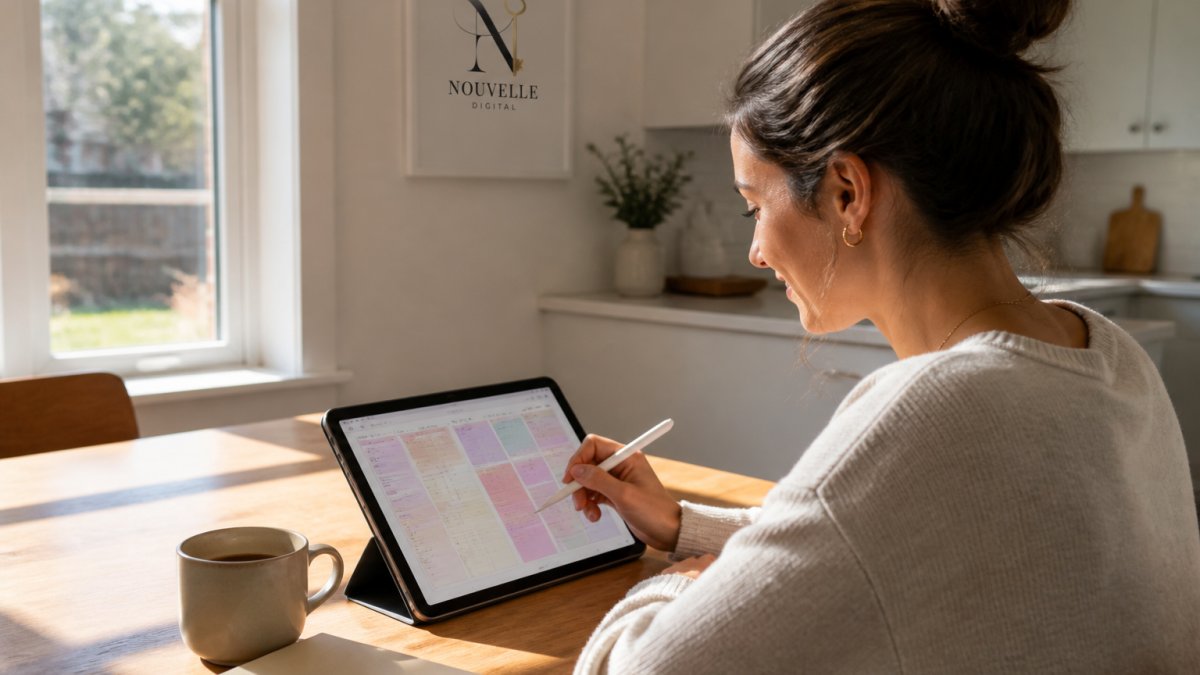
What actually works on iPad comes down to three things. First, the template must be sized for the screen, usually in landscape or portrait at a standard tablet resolution, so text stays legible. Second, the app you choose has to support hyperlinked PDFs if you want tap-to-navigate tabs. Third, your stylus and app need to play well together so handwriting does not lag.
A common mistake is buying a desktop-sized template and importing it to iPad, then discovering every page needs pinching and dragging. Check the dimensions before you commit. Landscape templates suit split-screen work, while portrait templates feel more like a bound journal.
If you use your iPad for both work and personal planning, keep separate files. A work planner and a personal journal in one document gets messy fast, and splitting them lets each one stay focused.
Digital Journal Templates for the Days You Don't Want to Plan
Some days you do not want a task list. You want a page that asks a question and gives you room to answer it. That is what digital journal templates are for, and it is why we treat journaling and planning as two halves of the same practice rather than rivals.
A journal template is a pre-designed page with prompts, sections, or open space meant for reflection rather than scheduling. The strongest ones are flexible: a gratitude prompt one day, a brain dump the next, a project sketch after that.
Here is where undated freedom really pays off. You are not "behind" on journaling because you skipped a week. You open the file when you have something to say, and the page is ready. No streak to protect, no guilt to manage.
For busy weeks, a two-minute journal page beats a thirty-minute ritual you will skip. Design for the low-energy day and the habit survives the high-energy ones.
GoodNotes Planner Templates: A Quick Compatibility Check
GoodNotes is one of the most popular apps for digital planning, and most quality templates are built to work with it. GoodNotes support documentation covers importing PDFs and using hyperlinks, which are the two features that matter most for planner templates.
Before you buy, confirm three compatibility points:
- File type: Most GoodNotes planner templates arrive as hyperlinked PDFs. Confirm the listing says PDF, not a proprietary format.
- Page size: Match the template to your device so pages fill the screen cleanly.
- Navigation: Tap the tabs in a preview or sample before buying the full set.
GoodNotes planner templates tend to shine when the designer has built proper internal links. A planner with a working index and tabbed sections feels like an app. One without links feels like a stack of loose pages you have to scroll through.
If you use a different app, the same checks apply. Hyperlinked PDF support is the baseline, and any reputable seller will tell you which apps a template is tested with.
How to Personalize Your Planner So It Sticks
Personalization is the difference between a template you admire and a planner you actually use. The good news: you do not need design skills. You need a short setup session and permission to break the rules.
Start with a cover you love, because you will see it every time you open the file. Add a "this week" dashboard page with the three or four sections you check most. Then duplicate any page you wish existed in a different form, and delete any page you know you will never touch.
A journal or planner is a uniquely personal document. Ours are built to be rearranged, so there is no wrong configuration. If a habit tracker bores you, remove it. If a mood page becomes your favorite, duplicate it ten times.
The customers who stick with digital planning are not the ones with the most elaborate files. They are the ones who treat the planner as a living document and edit it whenever their life changes.
Conclusion
The hardest part of any planning system is not finding a beautiful template. It is building something you will still open in six months, through busy seasons and quiet ones alike. Undated pages, creative freedom, and a document that reflects you personally make that far more likely.
That is exactly what NouvelleDigital designs for. Our creative ateliers give you ready-to-use digital journals and planners with no dates, no daily requirement, and full freedom to shape the file around your own life. Browse the collection, download a template, and start today, on whatever day today happens to be.
Frequently Asked Questions
Can I use a digital planner template without writing in it every day?
Yes. An undated digital planner is built for exactly that. There are no blank dates staring back at you, so skipping a day or a week doesn't leave gaps or guilt. You open it when you need it, pick up where you left off, and the planner still works. This is one of the main reasons people choose an undated digital planner over a dated one: it fits a real schedule instead of demanding you follow its calendar.
Are aesthetic digital planner templates compatible with iPad apps?
Most digital planner templates for iPad are PDF files designed to work with annotation apps like GoodNotes, Notability, and similar tools. Before you buy, check the file format and which apps the seller lists as supported. GoodNotes planner templates typically include hyperlinked tabs and pages, so you can jump between sections with a tap. Confirm the template matches your app version and iPad model to avoid setup issues.
What is the difference between a digital planner and a digital journal?
A digital planner is built around schedules, tasks, and goals, with layouts for days, weeks, and months. Digital journal templates focus on reflection, free writing, and creative expression, often with prompts or open pages. Many people use both: the planner for structure and the journal for processing the day. NouvelleDigital's creative ateliers blend the two, so you can plan and reflect in one personal document without switching tools.
How do I choose a digital planner layout that suits my routine?
Start with how you actually spend your days, not how you wish you did. If your schedule changes weekly, an undated digital planner with flexible weekly spreads works better than a rigid daily layout. If you juggle work and family, look for a template with separate sections for tasks, appointments, and personal notes. Buy aesthetic digital planner templates that match your real routine, and you're far more likely to keep using them.