 ultimate-guide
How to Use Digital Planning for Work to Get More Done
Last Updated: October 25, 2026
Quick Summary
Digital planning for work delivers flexibility: you can move a meeting in two taps, search last month's notes in seconds, and carry every project in one device. The benefits come from the workflow around the tool, not the tool alone, so start with one daily page and three priorities.
- Open your planner once each morning, set three priorities, and close it.
- Run a five-minute weekly project sweep listing each active project's next action and owner.
- Keep appointments in your shared work calendar and use the planner for tasks and notes.
- Log on-time tasks and missed deadlines for one week to set a baseline before changing anything.
- Keep daily planning under fifteen minutes, since longer sessions usually mean over-planning.
Table of Contents
- Why Digital Planning Beats Paper for Work
- What to Look for in a Digital Planner for Work
- How to Use a Digital Planner for Work Without Overcomplicating It
- Digital Planner Productivity: Measuring What Actually Changes
- Digital Planner for Work-Life Balance: One Place for Both
- Privacy, Accessibility, and Screen Fatigue
- Choosing a Planner That Fits Your Workflow
- Frequently Asked Questions
Why Digital Planning Beats Paper for Work
Digital planning is the practice of organizing tasks, schedules, and goals in a tablet or app-based planner instead of a bound notebook. At NouvelleDigital, we build our planners around a simple observation: the benefits of digital planning for work come down to flexibility, not novelty. You can move a meeting in two taps.
That said, the honest case for digital planning is more nuanced than most guides admit. Research published in Policy and Politics on digital planning culture across countries shows that how people adopt digital planning tools depends heavily on their professional culture and work environment. The tool alone doesn't make anyone organized. The workflow around it does.
The Focus Myth: When Paper Actually Helps
Paper still earns its place for some people. Julie Morgenstern has argued that paper planning helps with focus and gives a visible record of completed work, and Megan Sumrell makes a similar case for memory retention. Those points hold up. If you write something by hand, you often remember it better (pubmed.ncbi.nlm.nih.gov).
But here's what most guides miss: the paper-versus-digital debate is usually framed as a personality question when it's really a workflow question. Paper wins when your work is sequential and self-contained. Digital wins when your work involves appointments that shift, tasks that recur, and information you need to find again later.
What to Look for in a Digital Planner for Work
The best digital planner for work is one that adapts to your existing habits rather than demanding a new system. That's the whole test. If setup takes longer than the first week of use, you'll abandon it.
Look for four things:
- Flexible layouts you can rearrange without rebuilding the file
- No-date pages so a missed week doesn't leave a gap you feel guilty about
- Searchable text across notes, tasks, and appointments
- Cross-device access so your plan follows you from desk to phone
If you want to see what these features look like in practice, you can browse aesthetic digital planner templates for iPad and compare layouts side by side.
Flexible Layouts and No-Date Freedom
This is where NouvelleDigital's creative ateliers differ from dated planners. Our planners carry no fixed dates. You start whenever you choose, on whatever page fits the day you're having. There is no requirement to write every day, and no empty dated squares reminding you that you skipped Tuesday.
That freedom matters more than it sounds. The journal or planner is a uniquely personal document, and a personal document shouldn't punish you for a busy week. A common mistake is buying a dated planner in January, missing a month, and quitting entirely. Undated pages remove that failure point.
How to Use a Digital Planner for Work Without Overcomplicating It
Start with one page and one habit. The most effective way to use a digital planner for work is to open it once in the morning, set three priorities, and close it.
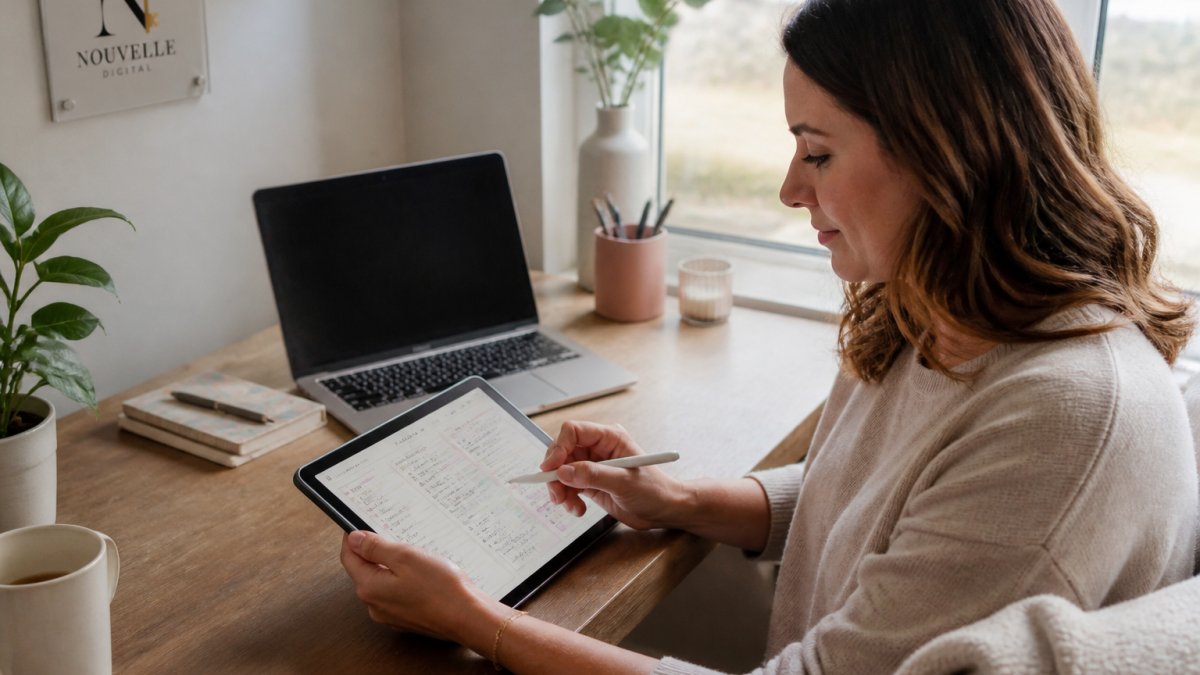
Here is a simple sequence that works for most people, adapted for a workday:
- Pick a single daily page. Don't build a dashboard on day one.
- Set three priorities, not ten. Three is enough to make a day feel controlled.
- Add fixed appointments to your calendar view. Recurring meetings go here once, not every week.
- Capture loose thoughts on a notes page. Anything that isn't a task goes there.
- Review at day's end for two minutes. Move what didn't happen to tomorrow.
That sequence is a starting point. First, a weekly project sweep: once a week, open a project notes page and list every active project with its next action and owner. Second, a meeting capture habit: during or immediately after a meeting, jot the decisions and action items on a notes page, then move only the action items to your task list.
Watch out: the biggest failure mode is customizing for hours before using the planner at all. A plain page you actually open beats a beautiful layout you're still designing.
A practical transition plan looks like this. Week one: use only the daily page and the notes page. Week two: add the weekly project sweep. Week three: add meeting capture. By week four, you have a routine that covers tasks, projects, and meetings without a single custom dashboard. If a step feels heavy, drop it. The planner should bend to your work, not the other way around.
Finally, remember that the journal or planner is a uniquely personal document. No two workdays look the same, and a planner that forces a rigid structure will be abandoned during a busy week.
Here is the simple workday sequence the article recommends, plus the two lightweight practices that make it work-specific.
| Step | What to do | When |
|---|---|---|
| Pick a page | Use a single daily page, no dashboard | Day one |
| Set priorities | Choose three priorities, not ten | Each morning |
| Add appointments | Put fixed and recurring meetings in calendar view | Once |
| Capture thoughts | Jot non-task items on a notes page | As needed |
| Review | Move what didn't happen to tomorrow | Day's end, two minutes |
| Project sweep | List active projects with next action and owner | Once a week, five minutes |
| Meeting capture | Note decisions and action items, move only actions to tasks | During or after meetings |
Digital Planner Productivity: Measuring What Actually Changes
Digital planner productivity is best measured by three things: tasks completed on time, deadlines missed, and time spent planning versus doing. Pick one metric, track it for two weeks, and compare it to your baseline. That advice is sound but incomplete. The real question is what those metrics look like in a work context and how to interpret them without turning measurement into another job.
Start with a simple baseline. Before you change anything, spend one week logging two numbers: how many tasks you completed on time and how many deadlines slipped.
After two weeks with the planner, log the same two numbers. A realistic improvement is modest: one or two fewer missed deadlines per month, or a small increase in on-time completion. If you see no change, the problem is usually not the tool but the workflow around it.
Here is a work-specific example. Suppose you manage a project with weekly deliverables. Each Friday, you review the week: which deliverables shipped, which slipped, and why.
What most guides miss is that planning itself has a cost. If you spend forty minutes arranging a to-do list and twenty minutes doing the work, the planner is the problem. Aim for a short daily planning window and protect it. Time savings from digital planning show up in the small gaps: no rewriting a weekly schedule by hand, no flipping through pages to find a phone number, no retyping a task list that already exists on your tablet.
A second work-specific metric is handoff time. If you coordinate with others, note how long it takes to find and share a status update.
Finally, resist the urge to measure everything. A clipboard of metrics becomes another task on the list. Instead, ask yourself one question each Friday: did fewer things slip this week than last week?
Digital Planner for Work-Life Balance: One Place for Both
A digital planner for work-life balance works because it holds both halves of your life in one view. The school pickup and the client call sit on the same screen. That sounds small.
Many women we hear from keep two systems: a work calendar and a personal planner, with a mental bridge between them. The bridge is where things fall through. One shared planner removes it.
The no-date structure helps here too. Some weeks are heavy with work, some with family. Undated pages let the planner bend to the week you're actually having rather than the week a template assumed.
Privacy, Accessibility, and Screen Fatigue
Two practical concerns deserve more attention than they usually get. The first is privacy. Work details, health appointments, and personal notes all live in the same file, so check who can access your device and whether your planner file syncs to a shared account. Keep sensitive entries on a device you control.
The second is screen fatigue. If your entire workday happens on a screen, adding a planner to the same screen can feel like more of the same. Two habits help: use a warm, low-contrast template rather than a bright white page, and close the planner when you're done instead of leaving it open in the background. Accessibility matters too.
Choosing a Planner That Fits Your Workflow
The right planner is the one you'll open tomorrow. Before you commit, match the tool to the shape of your work. If your days are appointment-heavy, prioritize calendar views and reminders. If your work is project-based, prioritize task lists and notes.
If goal-setting is your main aim, this guide to the best digital planner for goal setting walks through how to pick one that supports long-term planning rather than daily firefighting. And if you're still unsure whether digital is right for you, give it two weeks with the simplest possible setup. Most people know by then.
Frequently Asked Questions
What are the benefits of digital planning for work?
Digital planning keeps your schedule, task list, and notes searchable in one place, so you spend less time hunting for information. Reminders and recurring tasks cut missed deadlines, and cross-device access means your plan travels with you. Flexible layouts let you reshape the planner as priorities shift, and paperless planning reduces clutter. The biggest gain is consistency: because there are no dates to fill in, you can start any day and skip days without breaking the system.
How do I start using a digital planner for work without spending hours on setup?
Skip the elaborate customization. Pick one planner, open it the same day you buy it, and add only three things: your fixed meetings, your top three tasks for tomorrow, and one recurring reminder. Leave the rest blank for a week. Once that feels natural, add a task list or a notes page. No-date planners make this easier because you never have to catch up on missed weeks, so there is no backlog waiting to discourage you.
Can digital planning improve focus and productivity?
It can, mainly by removing friction. A searchable planner means fewer minutes lost to searching for a meeting time or a half-finished note. Reminders handle the remembering so your attention stays on the task in front of you. To measure it, track two simple numbers for a month: tasks completed and deadlines missed. Compare them with the month before. If nothing changes, your planner is too complicated, so cut it back to a single daily page.
Is a digital planner better than a paper planner for work?
It depends on how you work. Paper offers focus and a visible record, and some people remember handwritten notes better. Digital wins on portability, search, reminders, and syncing between devices, which matters if your work moves between an office, home, and a phone. Many people use both: a digital planner for scheduling and tasks, paper for thinking. Choose based on where your plan needs to be available, not on which looks nicer.
The hardest part of digital planning isn't the software. It's finding a system flexible enough that a chaotic week doesn't break it. That's what NouvelleDigital builds: undated digital journals and planners you can start anytime, with creative ateliers for personalizing layouts, no daily writing requirement, and a structure that treats your planner as a uniquely personal document. Get started with NouvelleDigital and build a plan that fits the life you actually have.